Available on Google Play · One-time purchase

Explore different beats. Make your own mix.

PhaseHarbor: Sound Sessions is an Android app for experimenting with alternating tones, binaural and monaural beats, and isochronic pulses. Customize your sound with noise layers and ambient audio.

Built to work without subscriptions, ads, or tracking.

Live synthesis
48 kHz
Carrier: 216.0 Hz Beat: 10.0 Hz Limiter: -1.0 dBFS
Format 32-bit float
Sample-Peak Cap -1.0 dBFS
Network None (offline)
Summed beat wave 200 ms window • 211 Hz and 221 Hz (Centre frequency: 216 Hz, Beat rate: 10 Hz, Sample-peak ceiling: −1.0 dBFS) • How waveforms work →
The idea

Why I built PhaseHarbor

I started PhaseHarbor because I wanted one app where I could experiment with all the different types of beats: alternating, binaural, monaural, and isochronic. I wanted to adjust the settings myself and mix in noise or ambient sounds, without needing a different app for each combination.

Having control over the sound was only part of it. I also wanted to use it without a subscription, without ads interrupting, and without being tracked.

The settings I enjoy won’t suit everyone, so I built it with room for you to experiment. Try different combinations, save the ones you like, and return to them whenever you choose. You can keep your presets to yourself or export one to share with someone else.

Juraj

How it works

Sound, settings, and privacy

How sound is generated mathematically and why data stays on your phone.

Live sound, not looped files

Audio is synthesized on the fly at 48 kHz in 32-bit floating point. Because every wave is generated mathematically, and paired with smooth start, stop, and segment fade envelopes, you avoid MP3 compression artifacts and spliced loop seams.

Peak limiting and fade envelopes

A built-in digital limiter caps peak audio at -1.0 dBFS across all active layers. Smooth cosine fade envelopes ramp the sound up and down whenever you pause or switch presets, designed to prevent sudden clicks and abrupt transitions.

Save settings and share presets

When you find a combination you like, you can export the preset or a compact QR code to keep a copy or share it with a friend who also uses PhaseHarbor. Shared presets and QR codes contain sound settings only, never your listening history, and personal notes are excluded by default unless you explicitly select Notes in a full backup export.

What’s inside

Built-in presets and custom sessions

Every sound is generated live on your phone. Nothing is streamed or downloaded, and no recordings are played back.

40 built-in presets

Start with 40 built-in presets across 16 pure tone sessions, 6 noise and nature soundscapes, and 18 multi-stage routines and timers.

Build your own session

Create custom multi-segment sessions in the Composer. Choose the tone type, set frequencies and gradual ramps, layer noise or soundscapes, and add an optional soft completion chime.

Synthesized soundscapes

The nature-style soundscapes (gentle rain, forest wind, and ocean waves) are generated by math in real time, just like the tones. The app contains no recorded samples. How soundscapes are synthesized →

Exact settings on every preset

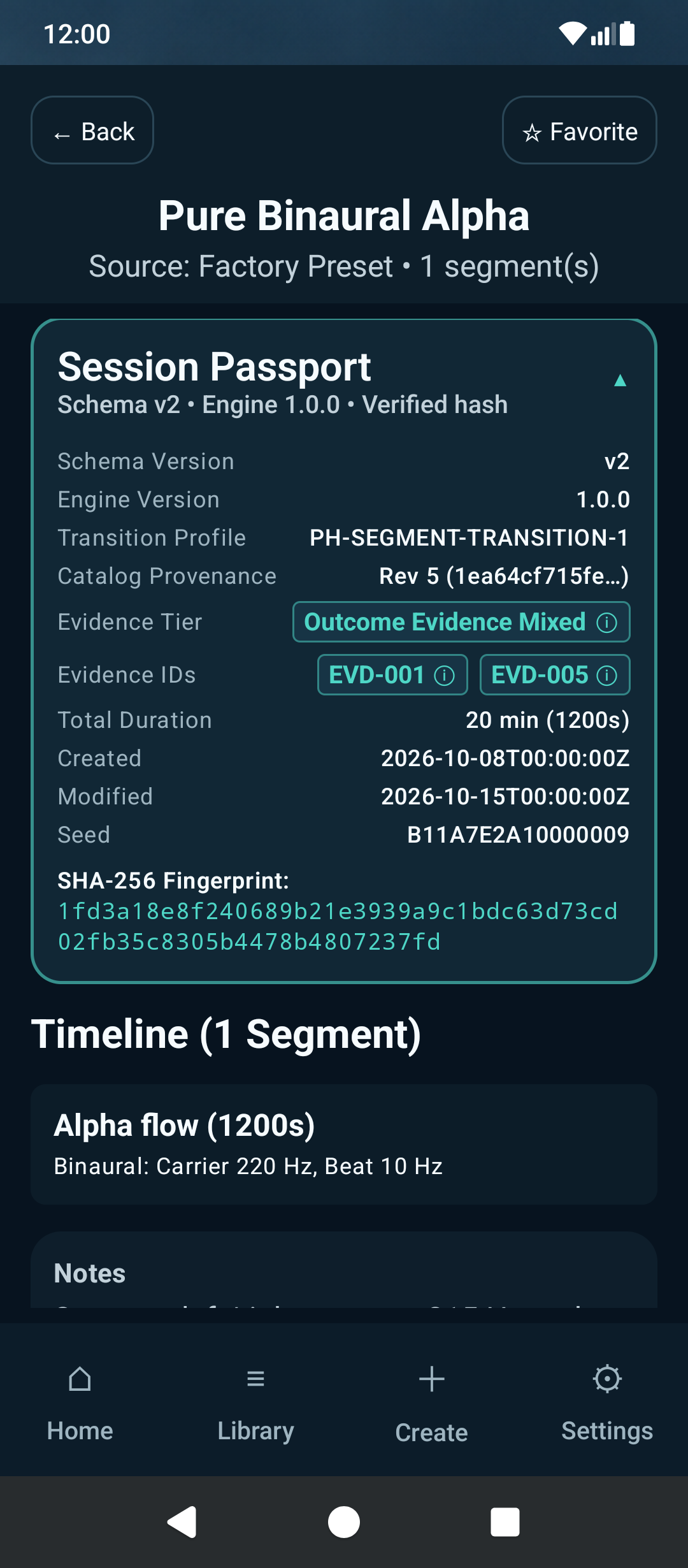
Every preset shows its carrier frequencies, beat rates, and digital levels (called Session Passport in the app), plus a short offline note on what published research does and does not say. Read What Research Says • Sources

Three visual themes

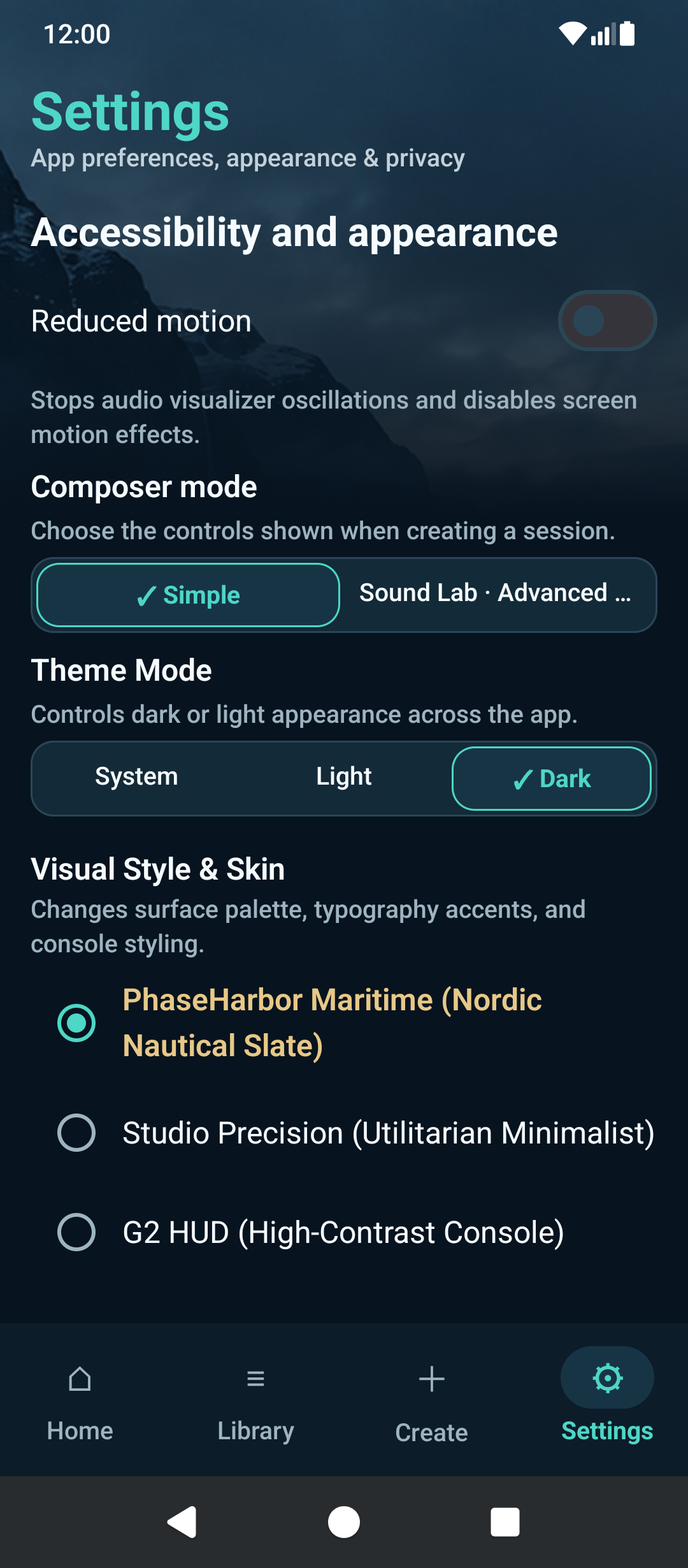
Switch between PhaseHarbor Maritime, Studio Precision, and G2 HUD console skins in Dark or Light mode, with an optional Reduced Motion setting.

Offline, no internet permission

PhaseHarbor doesn’t request Android’s INTERNET permission, so it can’t connect to the network. It has no ads, no accounts, and no tracking.

Screenshots

A look at the app

Screenshots taken on a physical Android device.

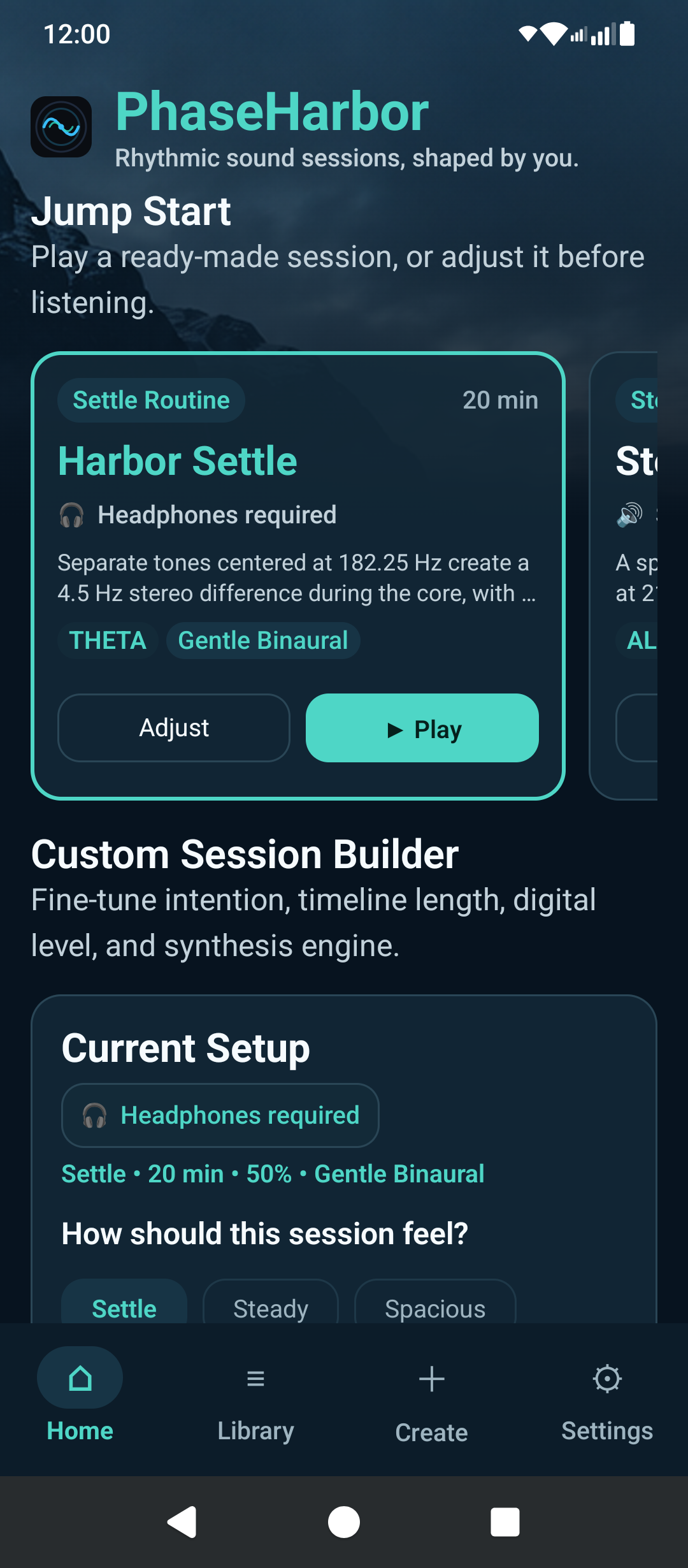
  • PhaseHarbor Home screen showing Favorites, Jump Start routines, and the Custom Session Builder
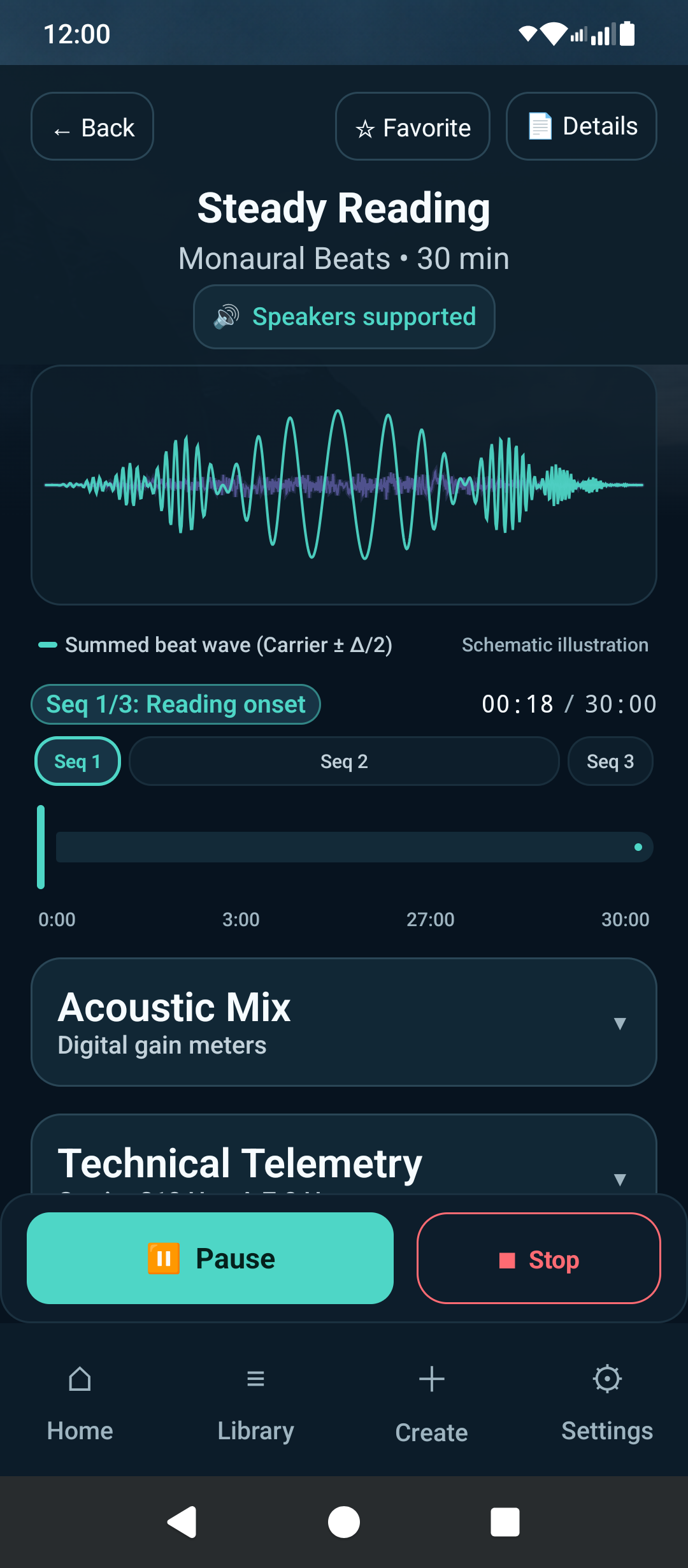
  • PhaseHarbor Now Playing screen showing the live waveform preview, multi-segment timeline, and layer mix levels
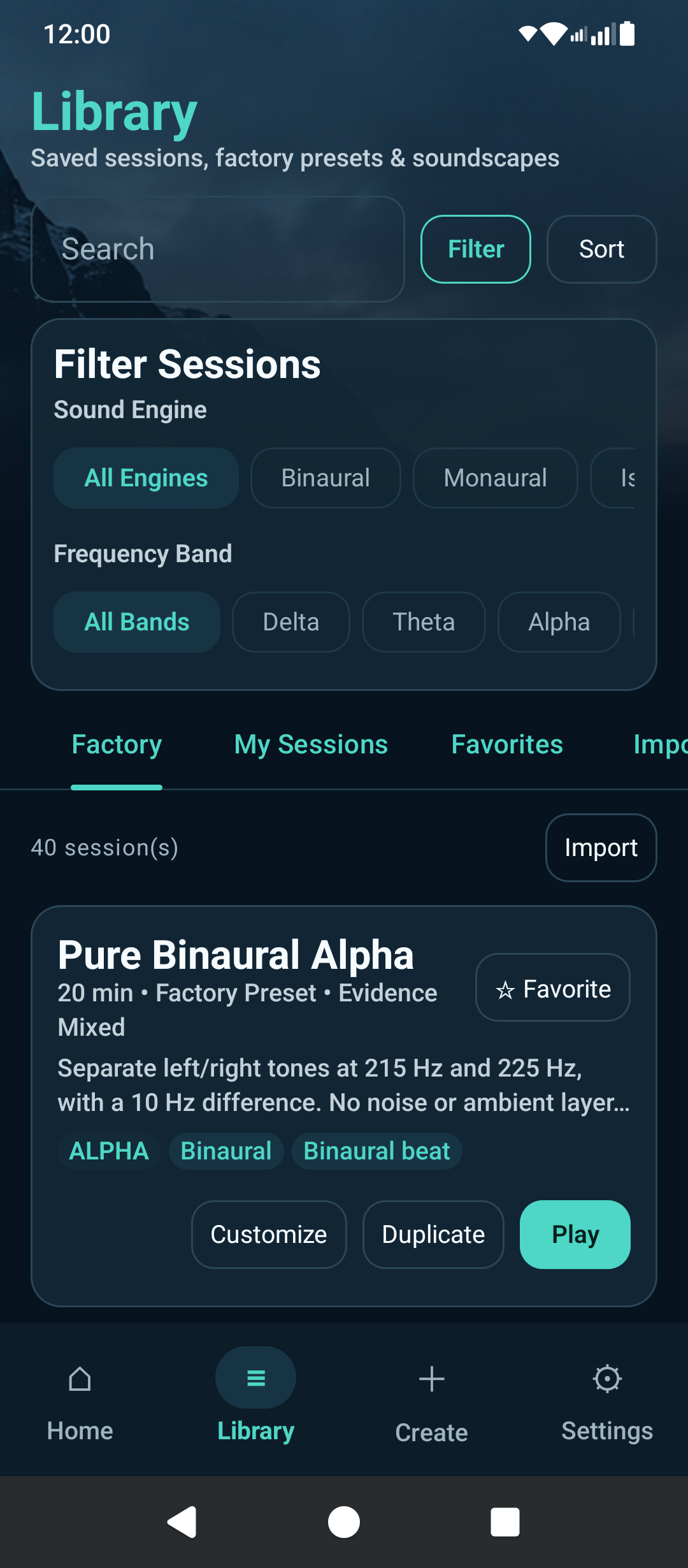
  • PhaseHarbor Library screen showing 40 built-in presets with tone style and frequency band filters
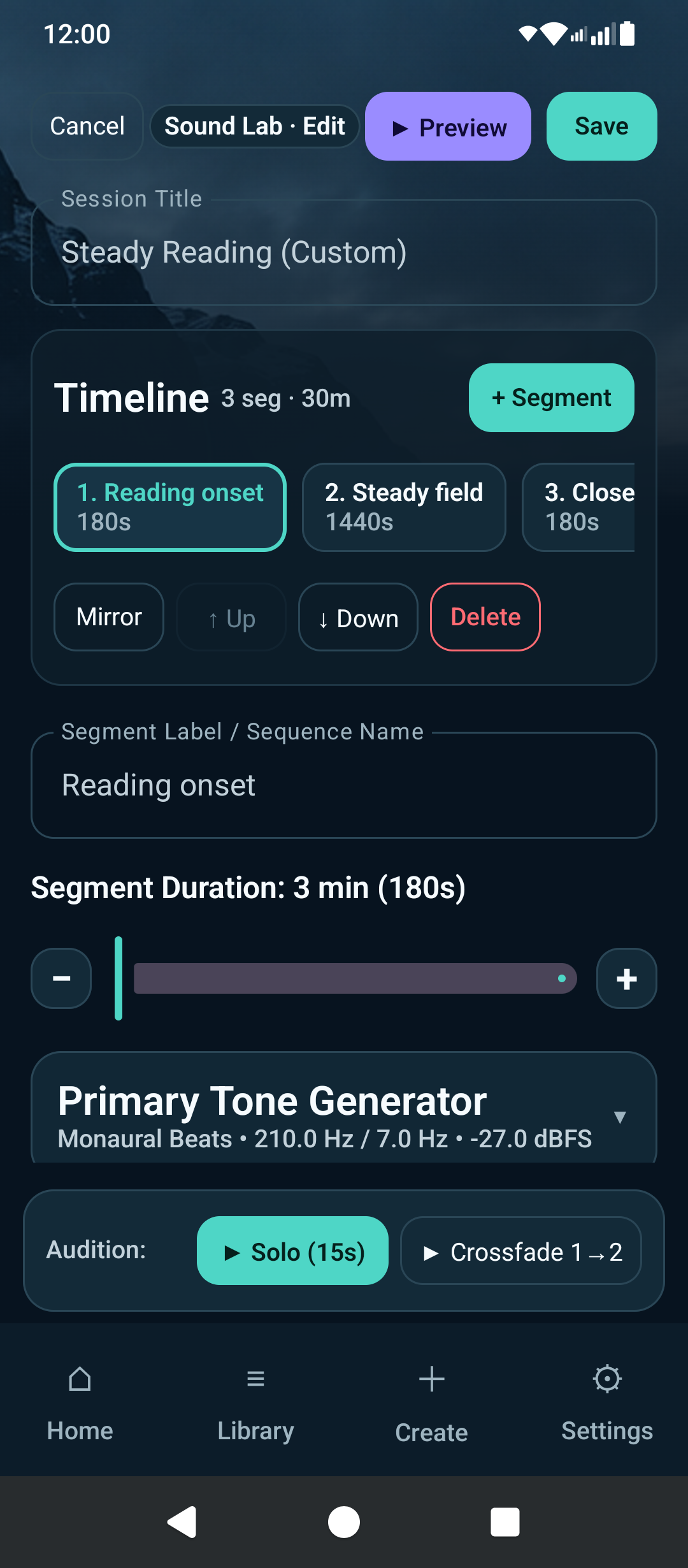
  • PhaseHarbor Sound Lab Composer screen showing multi-segment frequency, ramp, and noise layer controls
  • Preset detail screen showing exact frequencies, levels, and a short research note
  • PhaseHarbor Settings screen showing Reduced Motion, Dark Mode, and the three offline visual skins
Walkthroughs

See PhaseHarbor in action

Short recordings from a physical Android phone. More how-to guides and sound comparisons are on YouTube.

FAQ

Questions and answers

Do I need headphones?

For binaural beats, yes. Use stereo headphones, because each ear needs to receive a slightly different tone. Monaural and isochronic tones, noise colors and soundscapes also play through the phone’s speaker or external speakers. See the device compatibility matrix.

Why doesn’t the app request internet access?

It doesn’t need it. All sound is synthesized on your phone, and presets and settings are stored there too. Without Android’s INTERNET permission, the app can’t open a network connection.

Does PhaseHarbor collect my data?

The app has no ads, no tracking and no accounts. Your presets and settings stay on your phone. The Privacy Policy explains the details, including what Google Play handles.

What does PhaseHarbor not do?

It does not stream music, play recorded nature loops, or need an account. It does not claim medical or therapeutic effects. Nature-style textures are synthesized, so they will not sound identical to a field recording. Regional price, Android version, and device support are on the Google Play listing.

Where is PhaseHarbor available?

PhaseHarbor is available on Google Play as a one-time purchase. Regional pricing, country availability, and device compatibility are shown on the Google Play listing. For updates, join the Discord or follow the YouTube channel.

Who is it for?

PhaseHarbor is for people aged 16 and over who want to explore and build their own sound sessions. It isn’t intended for children under 16, and it isn’t a medical device.

Is there a subscription?

No. PhaseHarbor is a one-time purchase on Google Play. Regional pricing is shown on its Google Play listing.

Feedback

Something missing or awkward?

If you have feedback or questions while using PhaseHarbor on your Android device, I’d love to hear what you’re trying to do and what could work better. You can get the app on Google Play, email me directly, or join our Discord.

Direct developer contact • No mailing list

General Wellness Disclaimer: PhaseHarbor is a general-wellness audio application designed for personal listening routines. It is not a medical device and does not diagnose, treat, cure, or prevent any medical condition.